
Cue Sense is one app for everything you do at the table. You sign in once and your games, leagues, venues and stats all sit together. Here’s how to get going.
1. Create your account
Open app.cuesense.co.uk and tap Create one. Enter your name, email and a password of at least 8 characters.
If your venue or league has given you a sign-up link, use that instead. It adds you to the right venue automatically.
2. Join your venue
Venues decide how players join:
- Anyone can join instantly. You’re in straight away.
- Players must be approved. Your request waits until the venue manager accepts it.
- Memberships. Some venues run memberships. You’ll see your start and end dates under Memberships on your profile, and the venue renews them for you.
You can see and manage your venues from Account settings → My venues.
3. Put Cue Sense on your home screen
When you open the app on your phone you’ll see an Install app button. Tap it and confirm, and Cue Sense gets its own icon on your home screen and opens in its own window.
If the button doesn’t appear, open your browser’s menu and look for Install or Add to Home screen.
4. Find your way around My Account
My Account is your home page in the app.
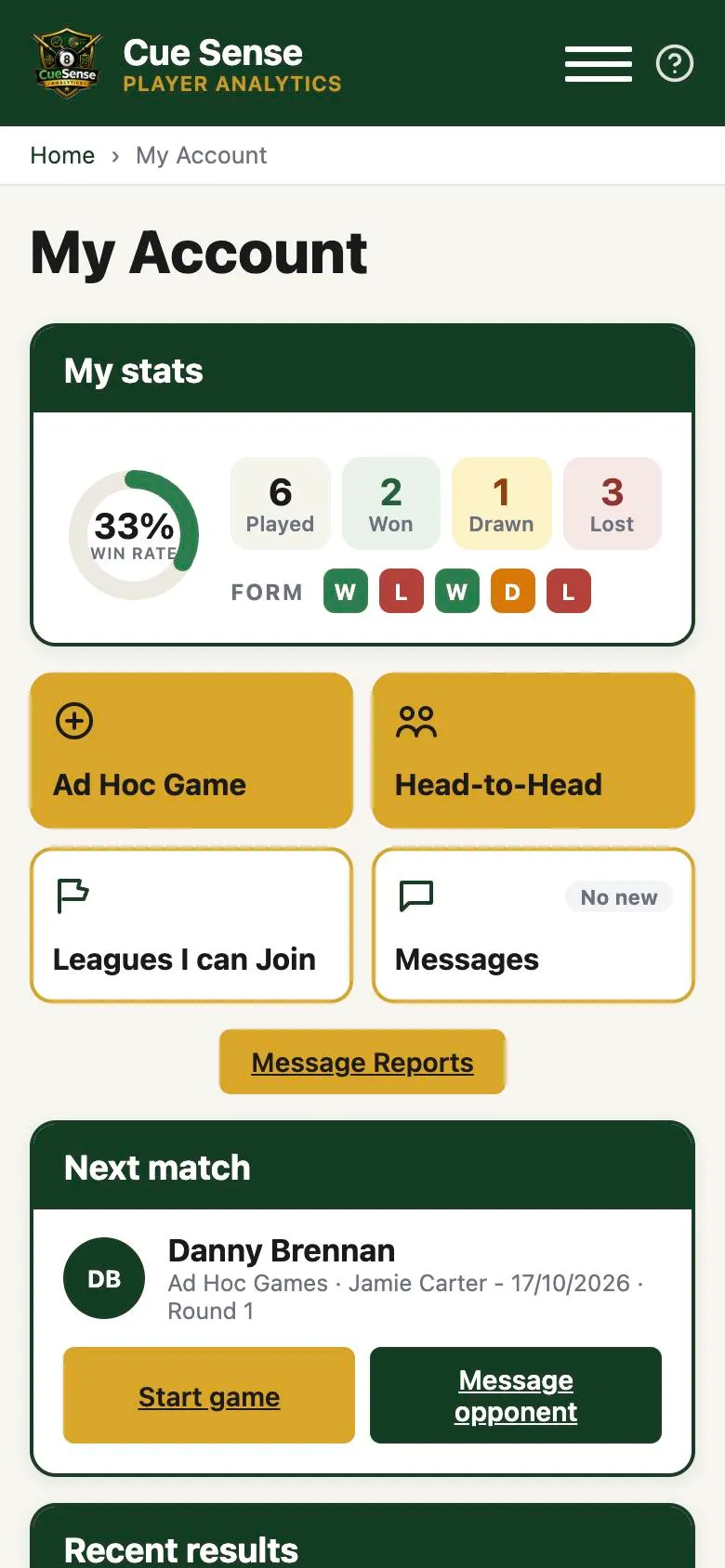
- My stats. Your win rate, played, won, drawn and lost, and your last five results. Tap Full stats & history for your full profile.
- Ad Hoc Game and Head-to-Head. Set up a game outside any league in seconds. See Ad hoc games and head-to-heads.
- Leagues I can Join. Leagues open for registration that you’re allowed to enter.
- Messages. Private chat with players you share a league or venue with.
- Next match. Your next fixture, with Start game to begin scoring and Message opponent to arrange it.
- Recent results, My leagues and My Bookings for table bookings at your venue.
- Account settings. Your details, your venues and your password.
5. Join a league
Tap Leagues I can Join, open a league and register your interest. A league manager then places you in a division. If the league has an entry fee, it needs to be confirmed before you can be added.
Once you’re in, your fixtures appear under Next match as each round is released.
Getting help
Tap the ? at the top of any screen. You’ll find guides for your account type, and you can request a feature or report a problem.