
Every match in Cue Sense is scored frame by frame from a phone at the table. It takes a couple of taps per frame, and the result feeds league tables, brackets and both players’ stats as soon as it’s confirmed.
1. Open the match
On My Account, your next fixture is under Next match. Tap Start game. You can also open any match from your league or division.
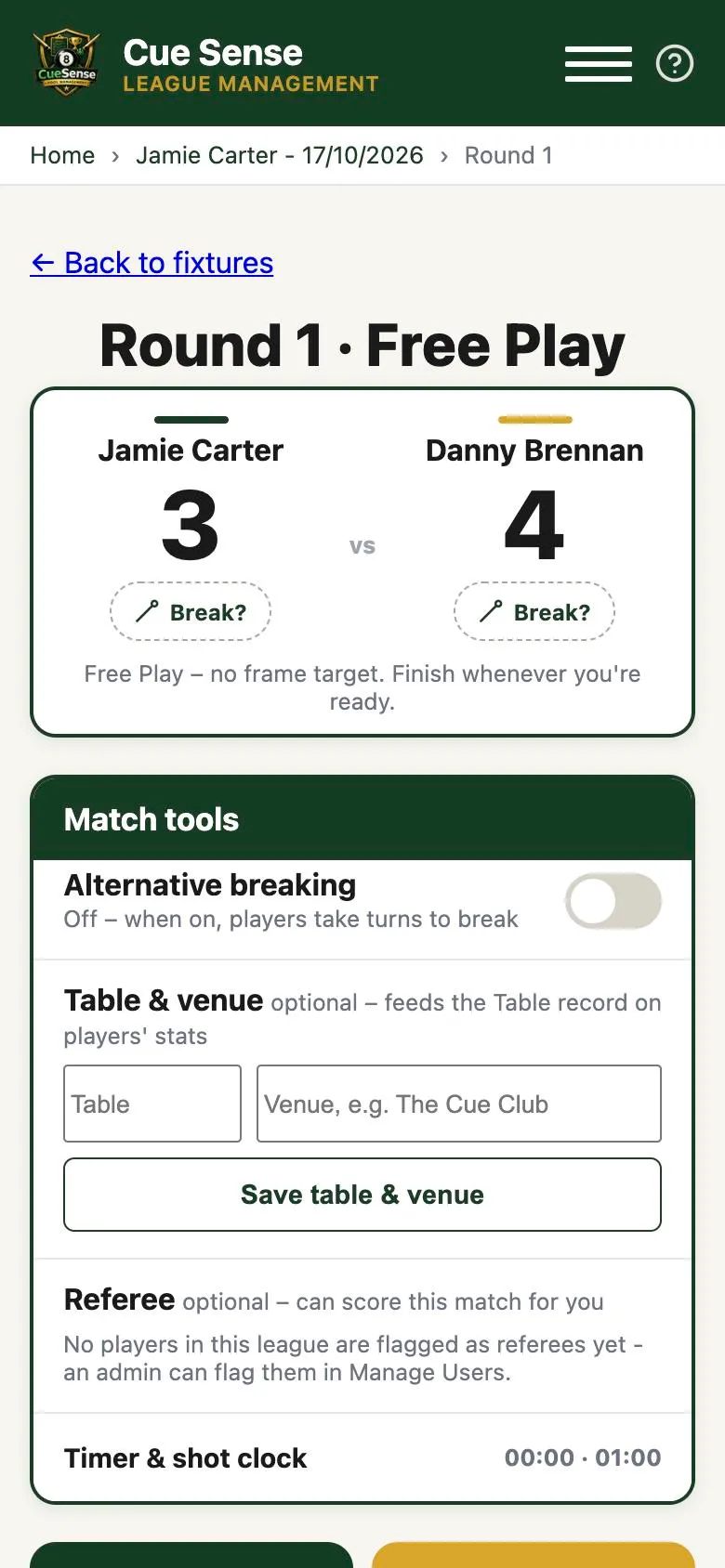
2. Set up the match tools (optional)
Under Match tools you’ll find:
- Alternative breaking. Turn it on and the app swaps the breaker every frame. You still choose who breaks the first frame.
- Table & venue. Enter the table number and venue. This feeds the Table record on both players’ stats.
- Referee. Pick a player flagged as a referee and they can score the match for you.
- Timer & shot clock. A match timer and a shot clock you can run on the same screen.
3. Record the break
Tap Break? under the player who won the lag. This records who broke. It doesn’t give anyone a frame.
4. Add each frame
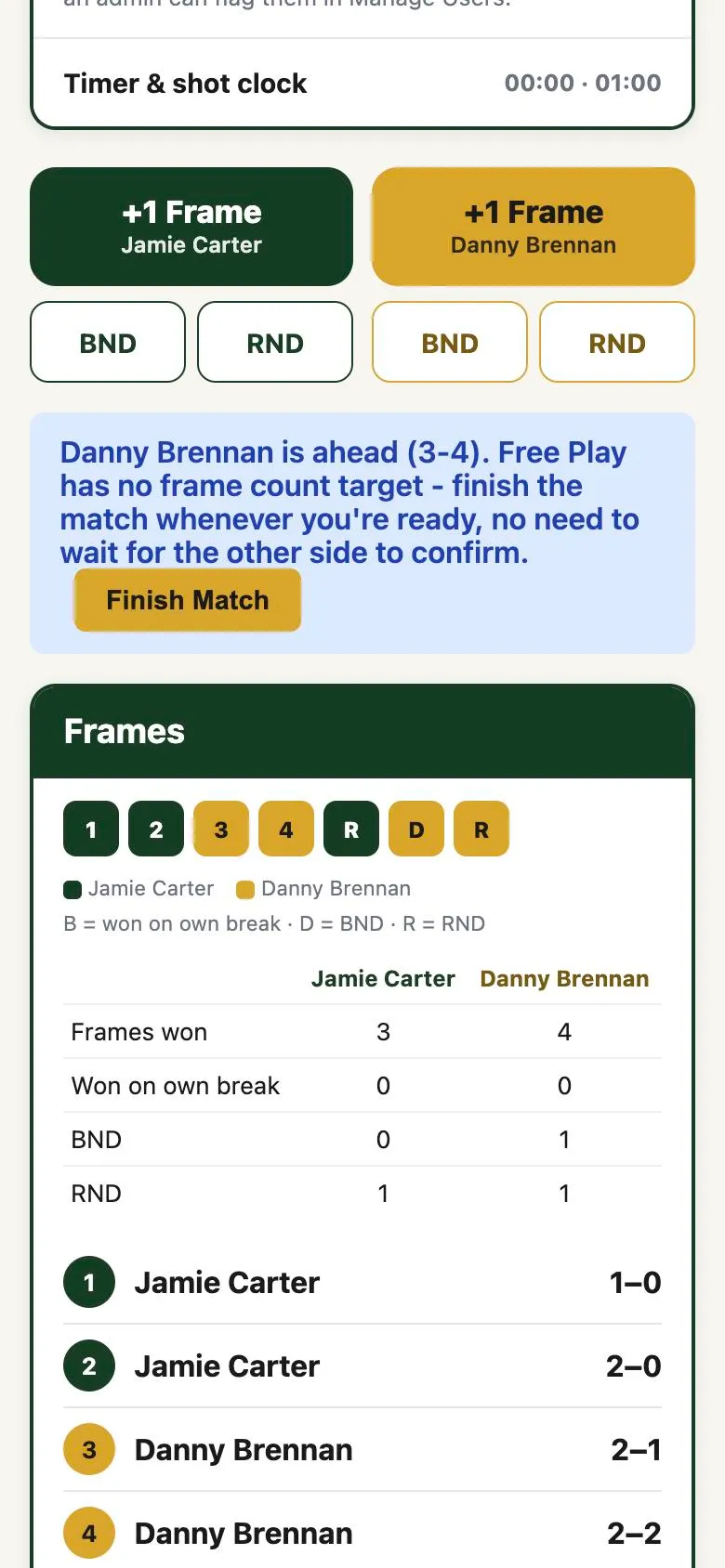
When a frame is won, tap +1 Frame for the winner. If the frame was won with a dish, use the buttons underneath:
- BND (Break and Dish). The breaker cleared every ball, including the black, without missing.
- RND (Reverse Break and Dish). The breaker missed, and this player then cleared the whole rack, including the black, on their first visit.
The Frames panel keeps a running log: who won each frame, the score after it, and totals for frames won, frames won on own break, BNDs and RNDs. Tapped the wrong player? Use Undo frame.
5. Finish and confirm
In a race (for example race to 6), the match stops the moment one side reaches the target. In Free Play there’s no target, so tap Finish Match whenever someone is ahead.
The player who submits the result confirms it, then the other side confirms it too. You’ll see waiting on the other player to confirm until they do. Once both have confirmed, the league table, any bracket and both players’ stats update.
Scoring on paper instead
If you played on a paper score card, choose Scan score card and take a photo of it. The app reads the card and shows a digital copy. Compare each box with the photo and correct anything that’s wrong. Nothing is recorded until you confirm, and both players still confirm the result.
How points work in a league
A standard league awards 3 points for a win, 2 for a draw and 0 for a loss. A league can also add each player’s frames won to their points, so a 2-1 win gives the winner 3 + 2 = 5 points and the loser 0 + 1 = 1.
When something goes wrong
- Wrong score submitted? Your opponent can Dispute Result with a reason. A league manager resolves it in Game Adjustments.
- Opponent didn’t turn up? Report a no-show from Problem with this match? It only counts once a league manager authorises it.